Paper in,
searchable PDF out
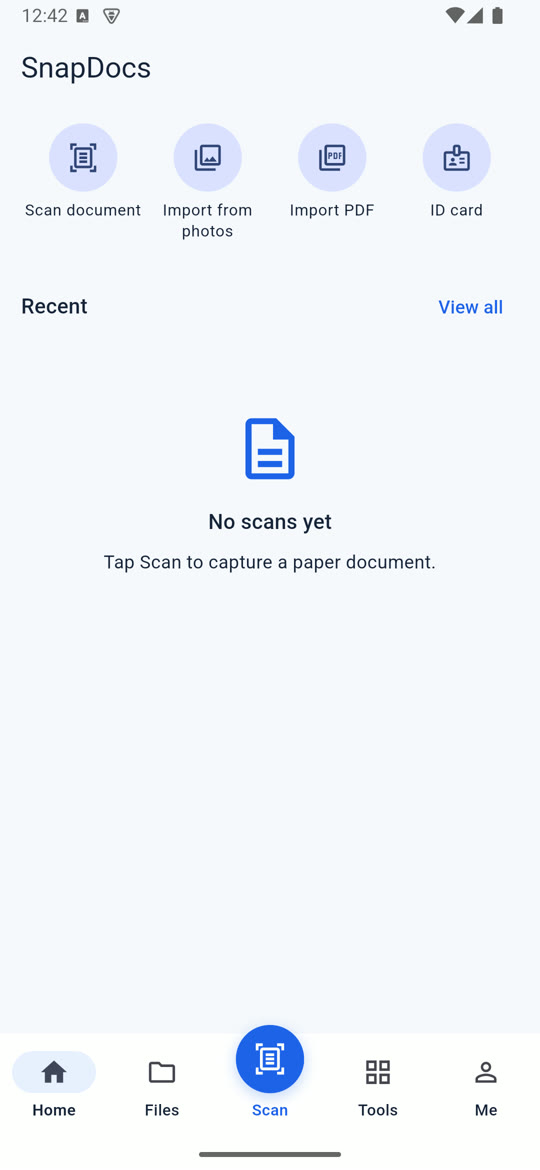
SnapDocs scans receipts, contracts and ID cards with your phone camera, reads the text on the device, and gives you a clean PDF you can sign, merge and share.
Everything a paper document needs
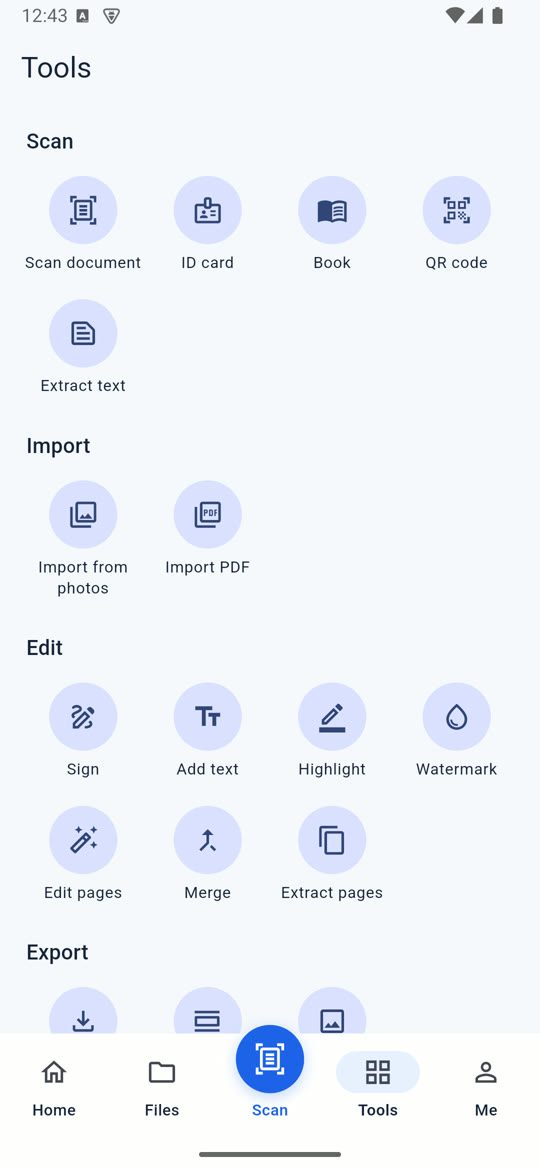
Seventeen tools in one app, grouped the way you actually work: capture, fix, then send.
Scan with edge detection
Point at a page and SnapDocs finds the page edges and crops it into a clean, straight scan.
Text you can search
On device OCR reads English and Chinese, so every scan is searchable and copyable without uploading anything.
ID cards and books
Dedicated scan modes for ID cards, book pages and QR codes, next to the regular document scanner.
Sign and annotate
Add your signature, type into blank fields, highlight lines and stamp a watermark.
Merge and extract pages
Combine several scans into one PDF or pull out just the pages someone asked for.
Export your way
Save as a PDF or as images, or share through any app on your phone.
Stop keeping paper in a drawer.
Keep it on your phone, searchable and ready to send.
Install in three steps
This build is shared outside Google Play for testing, so Android asks you to allow it once.
- Step 1
Download the APK
Open this page on your Android phone and tap Download for Android.
- Step 2
Allow the install
When Android asks, allow your browser to install unknown apps. You only do this once.
- Step 3
Open and scan
Tap SnapDocs on your home screen, then Scan document. The first scan downloads the scanner from Google Play services.
Using an iPhone?
The iOS version is in development testing and only installs on registered devices. It will reach the App Store after review. If you are on the test team, ask us for an invite.
Questions
Short answers about this test build.
Do my documents leave my phone?
No. Scanning and text recognition run on the device. Files only leave your phone when you choose to share or export them.
Why does Android warn me about this app?
Android shows that warning for any app installed outside Google Play. This build is for testing before the Play Store release.
Which phones does it run on?
Android phones with a 64 bit processor, which covers almost every phone sold since 2017.
The scanner keeps loading. What should I do?
The first scan downloads the camera scanner from Google Play services. Connect to WiFi, make sure Google Play services is up to date, and try again.
How do I check the file is genuine?
The SHA256 checksum of SnapDocs-1.0.0-android-arm64.apk is 039bf5f1764ffb61cd9580ee627ebcc6aa6e12922d91573aec6f5e6cd3ecb00c
Try SnapDocs on your phone
Scanning and text recognition run on your phone.
Download for Android